 Forge Engine
How Forge works — the complete guide
Forge is a living plan for people who build software with AI coding agents. You design in structured, agent-readable pieces; agents read the plan over MCP before building, claim work so they never collide, and report back what they actually built. This page walks through everything you can do — including wiring up your first agent.
1What Forge is (and isn't)
Coding agents are fast and amnesiac. Every session starts blank, so the same context gets re-pasted; a decision made three sessions ago gets quietly undone; two agents rewrite the same module. A better document doesn't fix that — a document can't know whether it was read, and can't notice the code walking away from it.
Forge makes the plan a thing agents transact with. Your design lives as structured Systems — each with a Goal, a Boundary (what it must not touch), and Acceptance criteria — plus ordered milestones of tasks. Agents read that over MCP before building, claim tasks, report which files implement which system, and propose changes back. Nothing an agent proposes is applied until you adopt it.
Honest boundary: if you hand-code without agents, a markdown file is enough — you don't need Forge. It earns its keep the moment agents write your code, or several people (and agents) must share one plan.
2The loop — 90 seconds
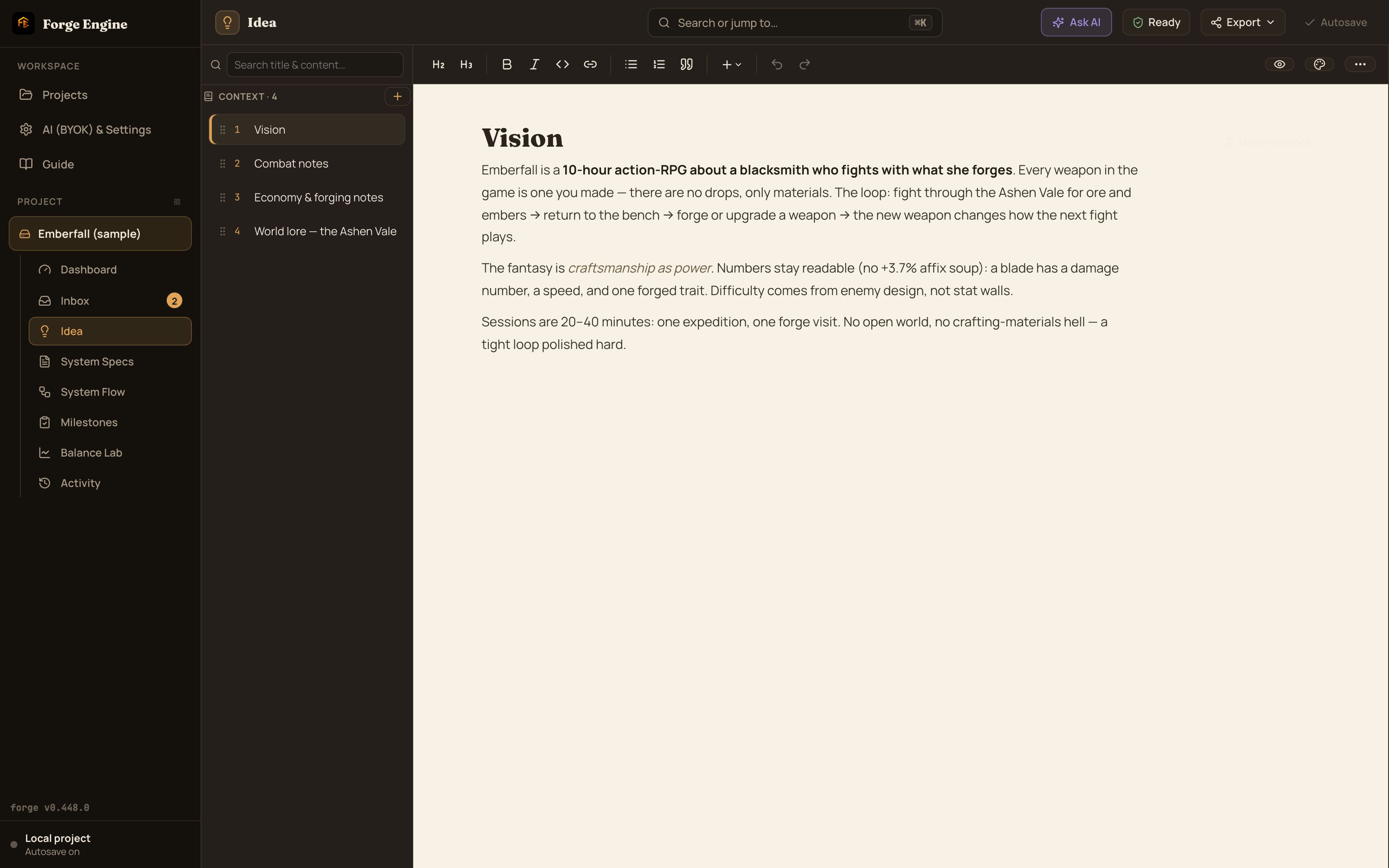
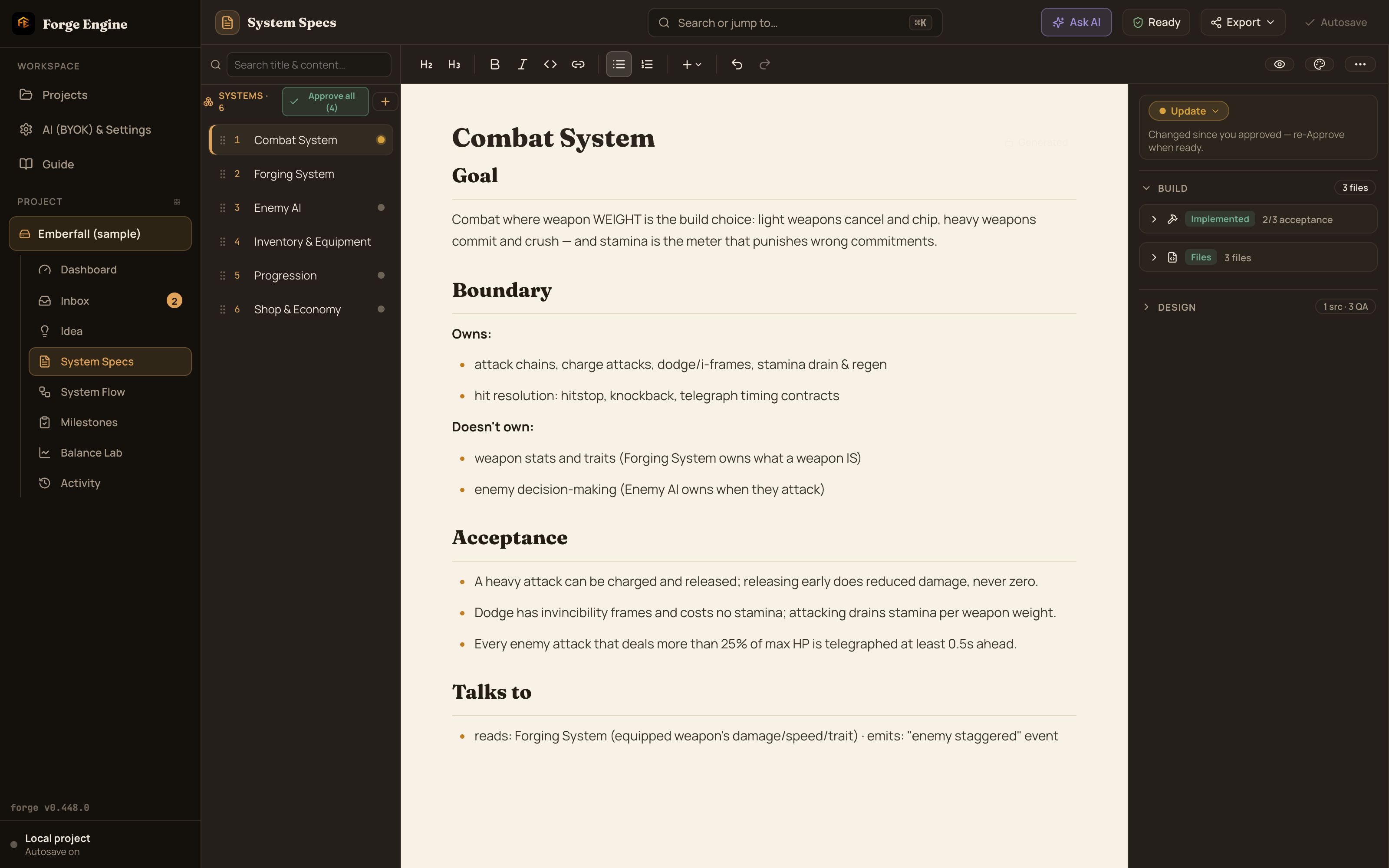
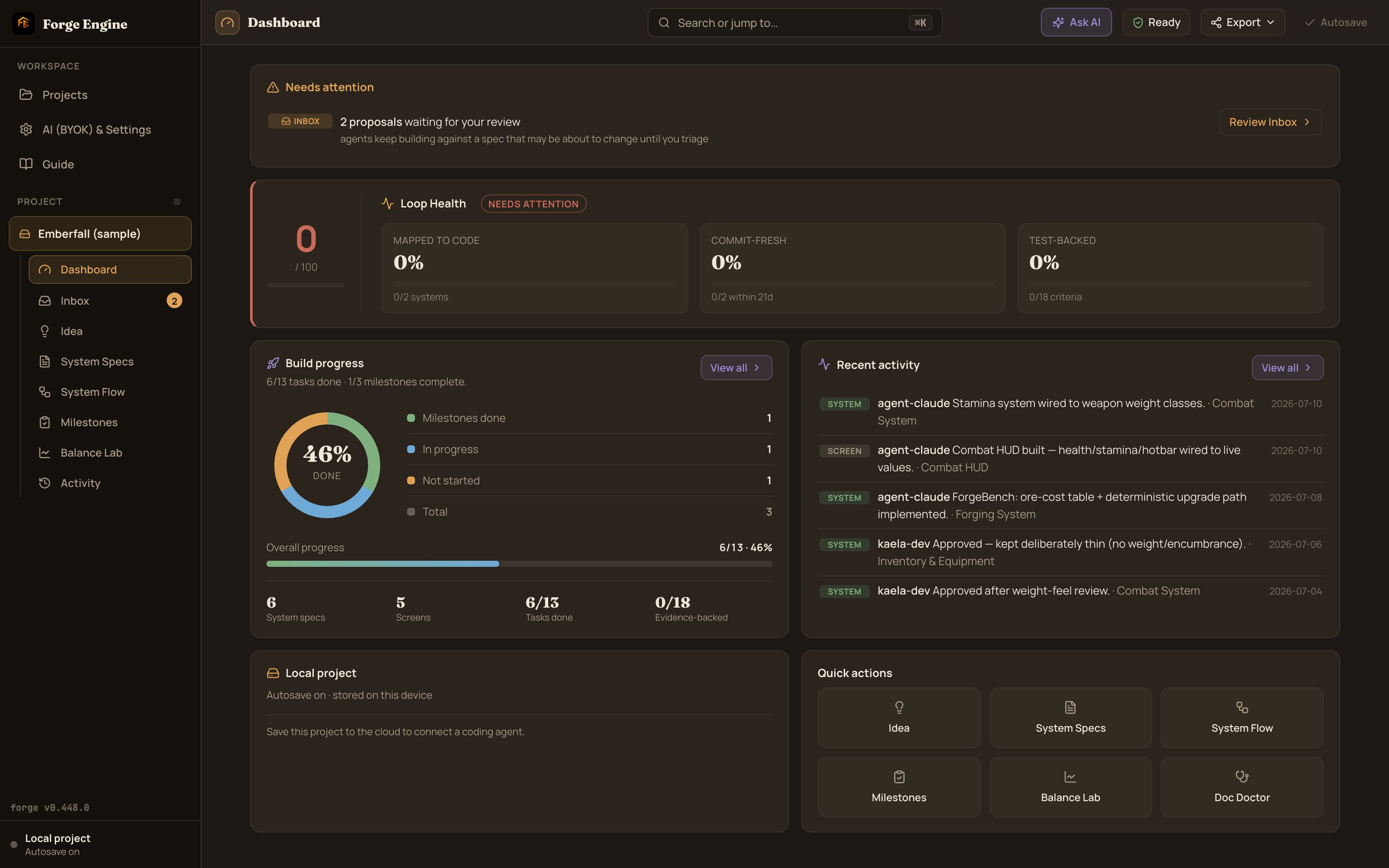
Every agent interaction is one of four verbs: READ the plan · CLAIM a task (so parallel agents never overlap) · REPORT what was built (status + the actual files) · PROPOSE a change (which lands in your Inbox, never directly in the design).
3Start a project
- Sign in at forgeengine.app — Google or email/password. Everything is free during the open beta.
- New Project — pick a kind (game / app / web / other; it tunes the vocabulary and AI help), name it, and optionally describe the idea in one line.
- Write on the Idea tab — paragraphs, lists, tables, diagrams. This is your free-form thinking space.
- Generate Systems — the ✨ button compiles your Idea into structured Systems. Review each one, edit freely, then Approve it. Approved = an agent may build it.
- Plan milestones — on the Milestones tab, ✨ Plan milestones drafts an ordered build plan from your Systems; drag to reorder, tick tasks as they finish.
Already have code instead of a blank page? Skip to Import a codebase — an agent can reverse-engineer the design from your repo.
4Your workspace, tab by tab
| Tab | What it does |
|---|---|
| Dashboard | What changed while you were away, and what needs a decision from you: build progress per system, loop health, drift warnings, stale claims, recent activity. |
| Idea | Free-form design writing. The upstream of everything — Systems are generated from here, and Forge tells you when the story falls behind the real design. |
| System Specs | The structured spec agents build against: Goal / Boundary / Acceptance per system, with lifecycle (Draft → Approved), build status, and the real implementing files. |
| Milestones | The ordered build plan. Tasks carry status, effort, and a claim — you can see which agent (or person) holds each one, and release stale claims. |
| Inbox | Every agent proposal waits here for your review — nothing lands behind your back. See The Inbox. |
| System Flow | Your screen map as a graph — which screens exist, how they connect, which are unreachable. Click a screen to sketch its layout as a wireframe. |
| Balance Lab | Game-design numbers workbench: stat tables with schemas, loadout pickers, live formula boards, enhancement-odds solvers, rank charts ("which of these 42 weapons is OP?"). Any board can be published as a public calculator link. |
| Design Document | The whole design compiled into one readable document — always current, never a stale export. This is also what the share link serves. |
| Activity | Who changed what, when — humans and agents in one feed, filterable. |
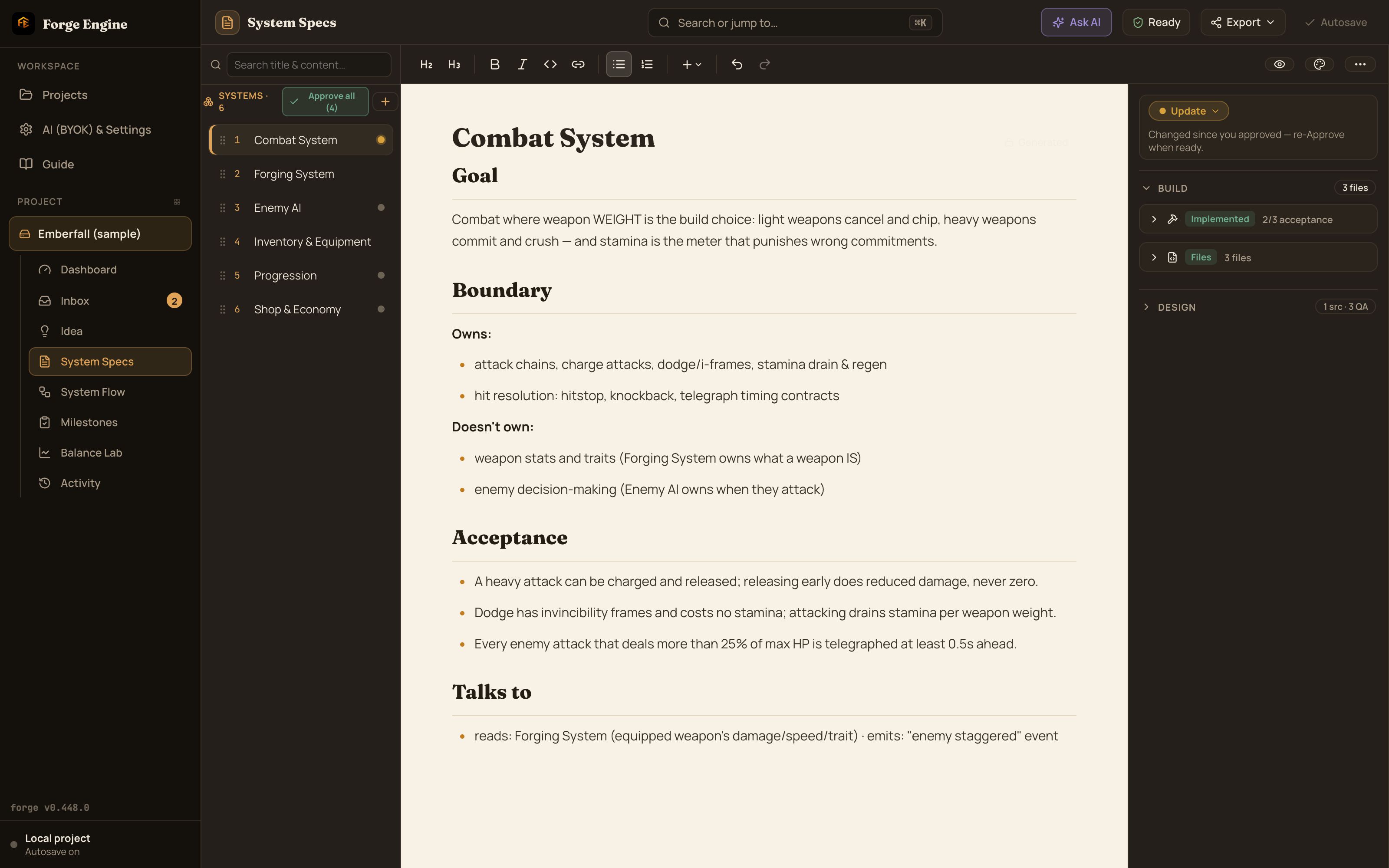
The milestone timeline: ordered phases, each with its task list, estimates, and agent claims.
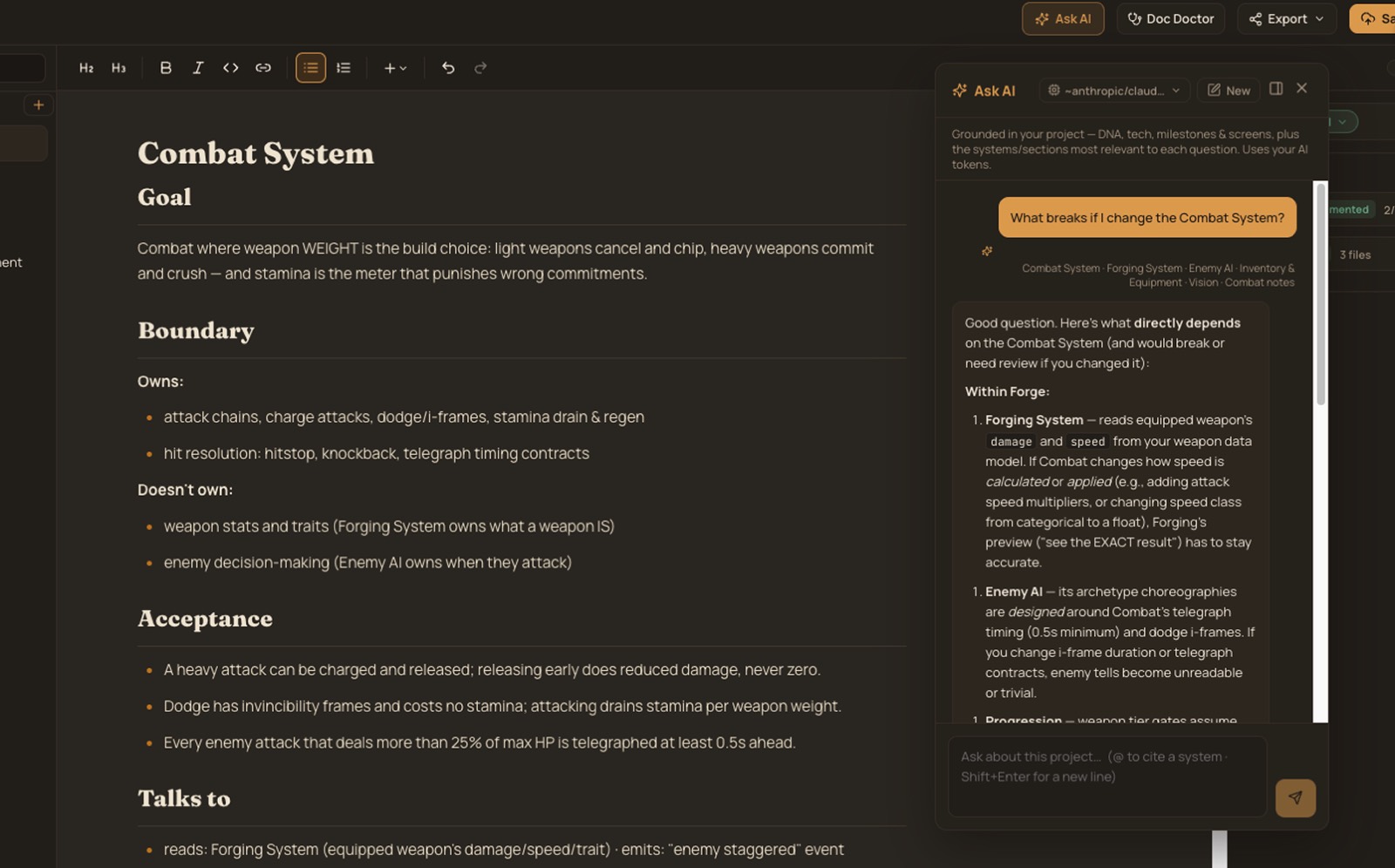
Ask AI answers from the real project — systems, milestones, history — not from a generic model's guess.
5Connect your coding agent (MCP)
This is the moment Forge becomes a loop instead of a document. Once connected, your agent can read the briefing in one call, pick the right next task, check a change's blast radius before touching code, and report the build back — and its proposals land in your Inbox.
Recommended: the Forge CLI (one login, every client)
- Install the runtime (needs Node.js):
npm i -g @forgeengine/cli - Log in once. In the app, open Connect Agent (sidebar → Workspace), generate an Account Key (
forge_sk_…, shown once — treat it like a password), then run:
and paste the key. It's stored locally; no key ever goes into a client config file.forge login - Wire your client — pick yours:
- Claude Code — the coding agent, whether you run it from the Claude desktop app, the CLI, or an IDE.
If you have the
claudecommand — run once in a terminal (not inside a chat):claude mcp add --scope user forge -- forge mcpOn Windows, if it saves but the server never starts, re-add it naming the shim explicitly — npm installs
forge.cmd, not an.exe:claude mcp add --scope user forge -- forge.cmd mcpNo
claudecommand? The desktop app ships without one — and that command only edits a file, so you never needed it. Easiest: ask the agent already running in your project to do it, checking itself as it goes:set up the Forge MCP server for me — first run `forge doctor` and stop and tell me if it is not all green; then add "forge" to mcpServers at the TOP LEVEL of ~/.claude.json, using {"command":"forge.cmd","args":["mcp"]} on Windows or {"command":"forge","args":["mcp"]} on macOS/Linux — back the file up first, merge the key into the existing object rather than pasting it inside another one, and confirm the file still parses as JSON; then tell me to restart the appRather do it yourself? Add this at the top level of
~/.claude.json(Windows:C:\Users\<you>\.claude.json) — Windows users take the second one:{ "mcpServers": { "forge": { "command": "forge", "args": ["mcp"] } } } <- macOS / Linux { "mcpServers": { "forge": { "command": "forge.cmd", "args": ["mcp"] } } } <- WindowsIn the order you'll meet them:
- Merge, don't paste. That key joins the file's existing top-level object. Dropped inside another key —
"preferences", say — it breaks the whole file silently: no error, the app just stops reading its own settings. Back the file up, and check it still parses afterwards. - Top level, not per-project. That is what
--scope userwrites, and it covers every folder. Underprojects["…"]it applies to that one project and the key must match the path string the app already stored — which differs by machine and by slash direction, so copy an existing key rather than typing one. - Windows:
"forge.cmd". npm installs shims (forge,forge.cmd,forge.ps1), never an.exe, and a client that spawns without a shell may resolve only the.cmd. Escape backslashes in any JSON path:C:\\Work\\repo. - Not
claude_desktop_config.json. That file belongs to Claude Desktop, the chat app, and Claude Code never reads it — a perfectly correct block in the wrong file reaches nothing at all. - Restart the app once after editing.
- Merge, don't paste. That key joins the file's existing top-level object. Dropped inside another key —
- Cursor — add to
~/.cursor/mcp.json:{ "mcpServers": { "forge": { "command": "forge", "args": ["mcp"] } } } - Claude Desktop — the chat surface — Settings → Developer → Edit Config, same JSON as Cursor in
claude_desktop_config.json. Only for using Forge tools inside a chat. The Claude desktop app holds both a chat and Claude Code, and the two read different files — if you are using it to write code, that is Claude Code above, which reads~/.claude.json. Nothing placed here is ever read by Claude Code. (No terminal at all? The Connect Agent page offers a one-click.mcpbextension instead.) - VS Code / Copilot —
.vscode/mcp.json:{ "servers": { "forge": { "command": "forge", "args": ["mcp"] } } } - Codex —
~/.codex/config.toml:[mcp_servers.forge] command = "forge" args = ["mcp"] - Any other MCP client — the Cursor JSON works everywhere stdio servers are supported. If the app can't find
forge, use the full path fromwhich forge(macOS/Linux) orwhere forge(Windows). On Windows, npm installs three shims (forge,forge.cmd,forge.ps1); a client that spawns without a shell may only findforge.cmd— use that, or the full path.
- Claude Code — the coding agent, whether you run it from the Claude desktop app, the CLI, or an IDE.
- Something not working? Run
forge doctorbefore touching any config. It answers the only question worth asking first — is this a runtime/token problem or a client-config one? It checks the Runtime version, whether a device token is present, and whether the hosted server is reachable. All green means your setup is fine and the problem is in the client's config file, so you can stop rereading the parts that already work.forge doctor - Keep it on the machine, not in the repo. Note the
--scope userabove — that's deliberate.--scope projectwrites.mcp.jsoninto the repository, which is a shared team file, and your Account Key is yours: identity belongs toforge loginon each person's machine, not to the project. Done this way the config holds no key and no project id, so it's identical on every machine and safe to paste anywhere.
No Node? Connect over HTTP directly
Forge is also a hosted MCP server (listed on the official MCP Registry as app.forgeengine/forge). Point any HTTP-capable client at the endpoint with your key:
{ "mcpServers": { "forge": {
  "type": "http",
  "url": "https://mmvdabzadclebfxyzudg.supabase.co/functions/v1/forge-mcp",
  "headers": { "Authorization": "Bearer forge_sk_YOUR_KEY" }
} } }
Discovery is public — initialize and tools/list need no token, so your client can see the whole tool surface before signing in. Only tool calls authenticate.
Authorization header is not optional here — and leaving it out fails in a way that looks like something else. Because discovery is public, a keyless URL still connects and still lists every tool, so the client reports the server as healthy. Then every real call comes back Not signed in to Forge. A session that never authenticated in the first place reads exactly like a connection that keeps dropping. If tools are listed but every call fails, check the header before anything else — or use the CLI above, which has no key in the config at all. There is no sign-in to fall back on: a key is the only credential Forge accepts, so a bare URL can never become authenticated on its own.One key, every project — so name the project by id
Your Account Key reaches all your projects, and forge mcp has no flag that pins it to one. That's what makes a single machine-level config work everywhere — and it means the agent chooses. Project names are not unique (two projects can both be called "Atlas"), so tell your agent the project_id from list_projects and have it match on the id. Picking the wrong project raises no error — it just writes your design into the neighbour.
First prompt to try
CLAUDE.md/AGENTS.md so every future session follows the loop automatically; it announces this in one line and removes it if you object.6Import an existing codebase
Don't start from a blank page if the code already exists. With an agent connected, say: "Import this codebase into my Forge project." The agent walks your repo and proposes the design it finds — systems with real Goals and Boundaries, mapped to the actual files. The whole batch lands in your Inbox as one group: skim it, fix what it got wrong, and adopt. Ten minutes later your existing project has a living, agent-readable plan.
7The Inbox — nothing lands behind your back
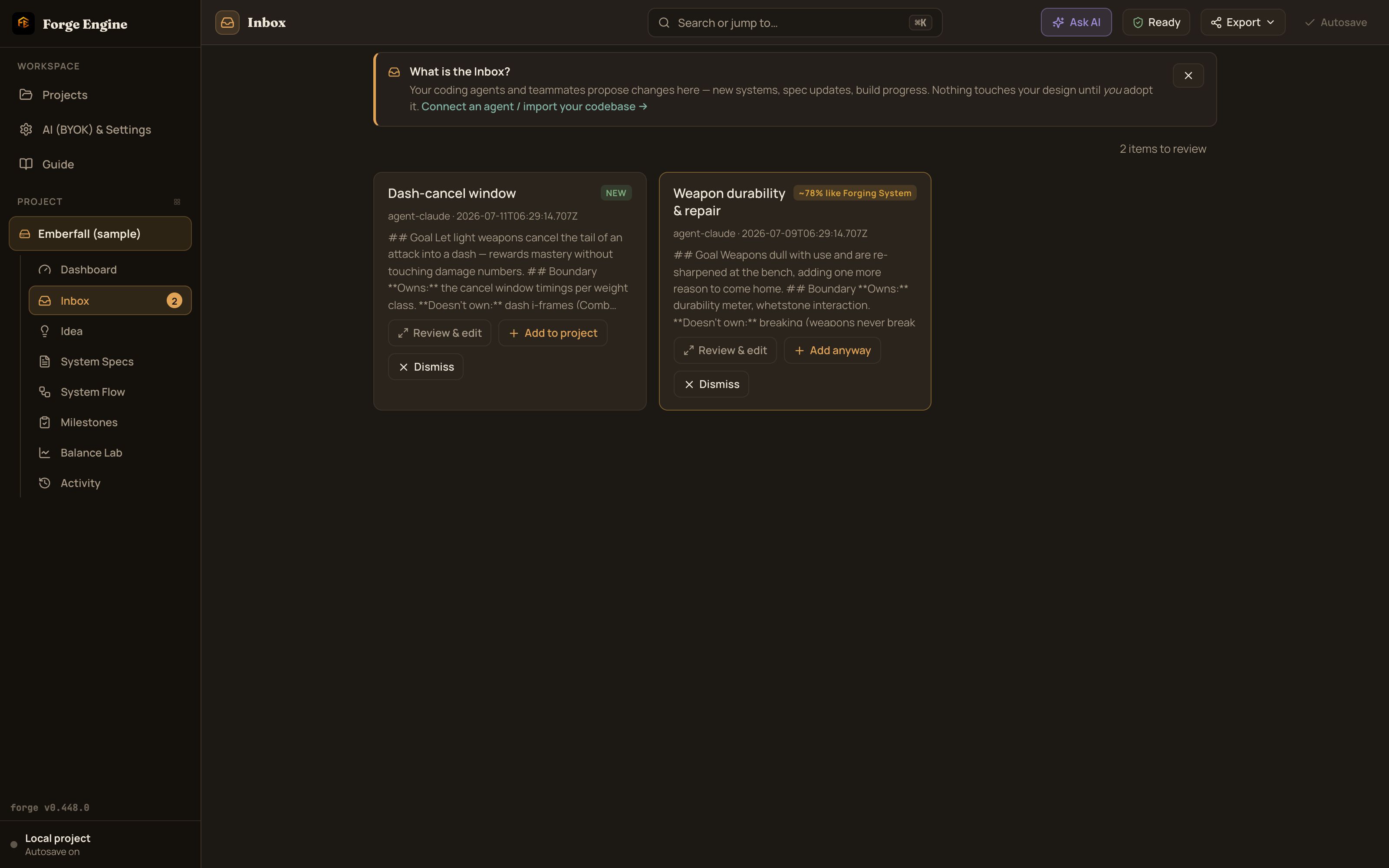
Agent proposals queue as reviewable cards — updates show a diff against the current spec.
- Everything an agent proposes waits here: new systems it discovered while building, spec updates (with a diff), new screens and milestones, imported batches.
- Adopt safe takes every clean, non-conflicting addition in one click; duplicates and conflicts wait for your eyes. Adopt-all is atomic — a partial adopt never drops items.
- Declining matters too: a declined proposal tells the agent its build diverged — the dashboard tracks declined items until an agent brings the code back in line.
- Deletes always show their blast radius and are never bulk-adopted.
8Share your design with any AI (or any human)
Each project can mint one public link — forgeengine.app/d/<token> — that serves the entire design as server-rendered text, compiled live on every read. Paste it into Gemini, Claude, or Grok and the assistant answers over your real design with no account, no key, no MCP setup. Hand it to a teammate and it opens as a normal page.
- Read-only — proposals still come back only through the authenticated MCP loop.
- Opt-in per project and revocable at any time; privacy comes from the unguessable token, not from crawler directives.
- ChatGPT is the one known exception: it doesn't open links like this (it web-searches instead and claims the page needs a login). The share panel has a one-click "Copy the document itself" for pasting into ChatGPT directly.
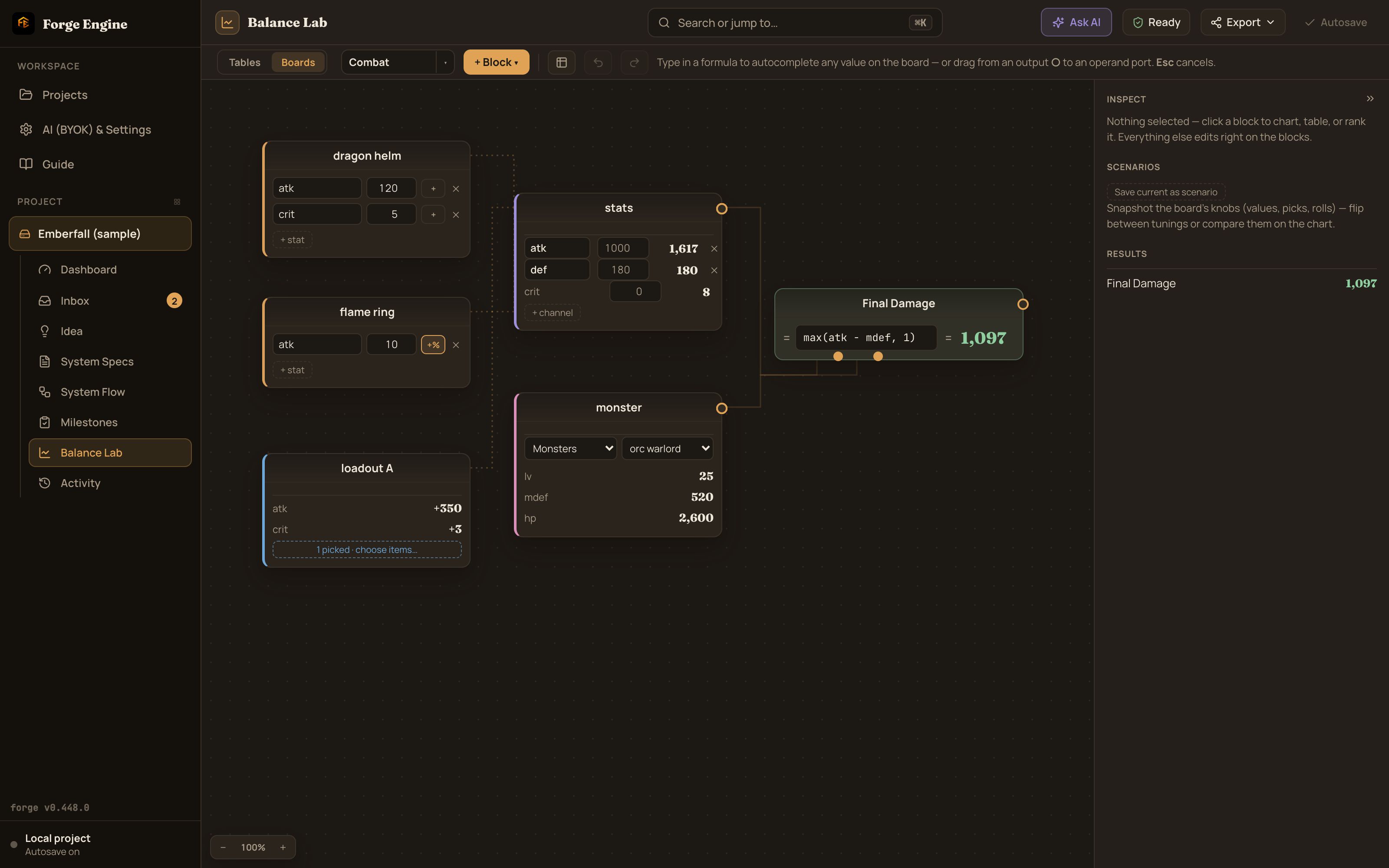
Balance Lab boards get their own kind of share link too: a public calculator anyone can tweak — visitors' changes never touch your project.
9No agent on the team? Repo loop-back
Artists, designers, and CI pipelines don't run coding agents — but their commits still change the build. The repo loop-back stamps Forge with one POST per push, so "which commit last touched this system" stays true with zero agent involvement. One command installs it for git or Plastic SCM / Unity Version Control; GitLab needs only a webhook, Perforce one trigger line. Full recipes: the loop-back guide (also in-app under Connect Agent → Repo loop-back).
10FAQ
What does it cost?
Free during the open beta — no credit card. After: flat team pricing from $9/mo (3 seats) to $80/mo (50 seats), with 50%-off-for-life for the first 100 teams. AI features use your own AI key, so AI cost stays under your control.
What happens to my work if I cancel?
It freezes to read + export. Never deleted, never held hostage.
Which agents work with it?
Any MCP client: Claude Code, Cursor, Claude Desktop, VS Code/Copilot, Codex, Cline, Windsurf… One plan serves all of them side by side — that's the point.
Can an agent wreck my design?
No. Agents cannot apply their own proposals, cannot delete anything directly, and every change waits in the Inbox for a human. Task claims are visible to everyone, and the dashboard flags drift the moment code and spec disagree.
Is my design public?
Only if you publish it. Projects are private to your organization; the share link and board links are opt-in per project and revocable.
Many agents. One plan. No mess.
Free during open beta · bring your own AI key · your data stays yours
Open Forge — it's free